Bailey - Knock em out

Showing posts with label Editing progress. Show all posts

Tuesday, 19 April 2011

Glitter effect


Today our group went up to the media room to edit the glitter scene. At first we edited to you saw the glitter been thrown at the protagonist once. However after Miss Foster watched it she thought it was abit plain. As the shot was so glamorous and sparkly we needed some kind of effect. Therefore we added a jumpy effect to make it more quirky.

Friday, 15 April 2011

Our split screens.

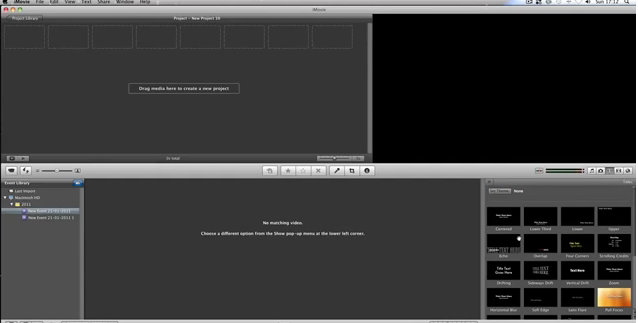
So after deciding to compose our split screens on Imovie below is our final product! We had to click on preferences to get the extra tools up which allowed us to conduct this editing. They make our video look allot more dynamic and profession, I am very happy with them.


Sunday, 10 April 2011

my opening credits.

In Imovie ttoday my group and I created our opening credits. We researched into how to make the credits on youtube as it has been a whole year since we last did this from our year 12 project on horror films. Below is the simple video we followed from youtube.


After following these steps this is now fresh in our memory. Firstly we selected the right transition we wanted. We decided to use the transition 'dark aroma' this was just a small dark rectangle and we chose to add white writing as this would look effective. We then chose the font 'round' as it was simple, but not to boring. This was eyecatching, however did not take the focus away from the main video. Below are the images of us creating the credits and our final version.


Monday, 7 March 2011

Pink pillow effects


Today we edited the clip below.
We wanted a reverse effect so she throw the pillow but it looks as if it is thrown back at her so we simply added the same clip again but put a reverse on the second part:


We also wanted the pillow to be pink. Firstly we added a black and white effect to it so the pink would stand out. However this was too difficult to add the pink effect as Imovie was not that
advanced.

Tuesday, 1 March 2011

Editing progress - adding effects.

So today I came onto the macs to do some editing. We added some effects onto the video. Here are some examples below of the effects we added:


Here I added a black and white effect. I though that by breaking up the colour a bit it would make the video more dynamic


Here we added a old grain theme. This was inspired by the americano film idea. This gives our video that extra edge and makes it more interesting.


By using this heatwave effect it brang out the colours of green and blue more which made the film look brighter and more eye catching.

Monday, 7 February 2011

Editing progress


Today in my free lesson I went up to the media room to edit the video again. This time I started by muting all the clips as I could still here a few background noises. I then editing the pictures by adding effects such as sepia, black and white and romantic. Also editing the brightness, contrast and saturation to make the images more appealing and make the quality of the film look better as the grainy look was quite obvious. If I were to film again I would most definitely use the HD flip camera.Furthermore I added on more clips, it took a long time to find the right bits as to get the lip syncing in time. So far 2 minutes 17 of the video has been editing so not long left now, then more fine tuning will be added with the split screens and the four screens, Below is a video of the video so far:

Friday, 4 February 2011

Editing Progress


Today after lesson I stayed behind after school with Oyinda and Trisha to edit the film. However we realised we mucked up the timing so had to re-edit the video, to prevent this in future we have to avoid highlighting the music area! we spent the whole lesson just fixing it!

Wednesday, 2 February 2011

Editing


So today Oyinda and I stayed after school to tweek our video. we made some adjustments to the lighting, added effects to various shots and played about with creating a still shot which took along time. we had to get 0.1 seconds of the shots and multiply about 40times so it was still. However after that we decided to scrap it as it didn't look right.

Tuesday, 25 January 2011

Draft one - Can't Knock em out

Today Danielle and I stayed up in the media room all morning and editing the video! I'm so impressed with how far it's got so far. I especially like the beginning clip were the group have editing the feet for recurring images. It's really effective!


I love all the quirky little bits aswel. However one think I did forget to do was mute all the clips! so that will have to be done soon as you can hear some rustling. We thought it would look quite effective if we reversed the clip of Oyinda walking towards the camera, so therefore she is walking backwards as if to say like leave me alone. It looks very effective. However I must say my favourite bit I've edited so far has to be the confetti. We also reversed this clip. Instead of the confetti being poured onto Oyinda by John instead the confetti is being sweeped back up using the reverse effect. However like most things we encountered a few minor problems. We realised when we started editing that some of the shots you can see the sides, so we tried to crop them, however when you crop the sides it crops the whole image, so we ended cutting of poor Oyindas head! But we've made this fit in with the video, and it actually look good! Below is our first draft :)